
VAT calculator:
Calculate gross and net
Easily calculate VAT, gross and net with the practical VAT calculator from easybill, the simple invoicing software.

VAT calculator
Enter your values and use the VAT calculator to easily determine the VAT for products and services.
Note: The information provided by the calculator is without guarantee.
Gross price: Price incl. VAT (VAT included)
Net price: Price excl. VAT (VAT excluded)
Tax amount: VAT portion
Tax rate: Percentage used to calculate the tax
How the easybill VAT calculator works
Simply calculate VAT:
1. Enter amount: Enter the net amount or gross amount of your product or service in the appropriate field.
2. Select VAT rate: Choose the appropriate tax rate (19% or 7%).
3. Calculate VAT: The VAT calculator automatically displays gross, net and VAT separately.
4. Review results: Use the detailed calculation to write your invoice. Our free invoice templates help you meet all legal requirements. Or try the easybill invoicing software free of charge and without obligation.
Simple examples for accurately calculating VAT
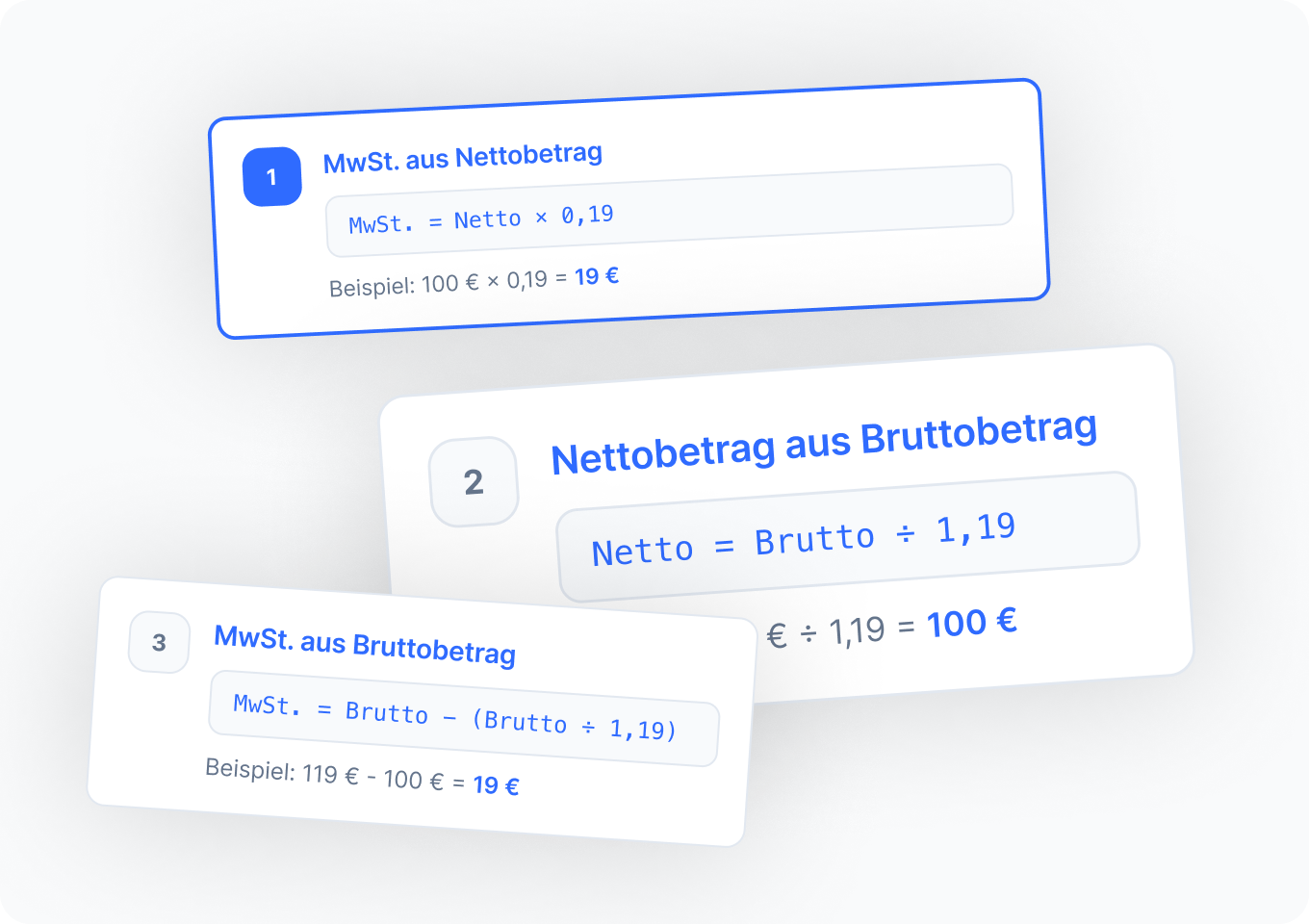
1. Calculate VAT from the net amount:
Formula: VAT = net amount × VAT rate
Example: With a net amount of 100 euros and a VAT rate of 19%:
VAT = 100 euros × 0.19 = 19 euros
2. Calculate the net amount from the gross amount:
Formula: net amount = gross amount ÷ (1 + VAT rate)
Example: With a gross amount of 119 euros (including 19% VAT):
Net amount = 119 euros ÷ 1.19 = 100 euros
3. Calculate VAT from the gross amount:
Formula: VAT = gross amount − net amount
Example: For the same gross amount of 119 euros:
VAT = 119 euros − 100 euros = 19 euros
Free invoice templates: with and without VAT
Create professional invoices quickly and easily – without the hassle of formatting. Our free invoice templates offer you the perfect solution, whether you want to issue an invoice with or without VAT.
With VAT: Use our template to show VAT correctly and meet all legal requirements. Ideal for companies that are liable for VAT and want to ensure their invoices are complete and legally compliant.
Without VAT: If you operate as a small business or, for other reasons, do not have to show VAT, we also have the right template for that. This invoice template is specifically designed to make your work easier and take legal requirements into account.
Frequently asked questions & answers about the VAT calculator
The VAT calculator helps you quickly and easily convert amounts from gross to net or from net to gross. You can use it to calculate VAT, deduct it, or add it on—depending on whether you want to determine the net price or gross price—without having to use a calculator.
The VAT calculator automatically calculates VAT based on the entered amount and the applicable tax rate (for example 19% or 7%). You simply indicate whether you know the gross or net amount, and the calculator shows:
the net amount
the VAT amount
the gross price
To calculate from gross to net, simply subtract the VAT from the gross price. With our gross-to-net VAT calculator, you simply enter the gross amount, and the VAT calculator immediately shows:
- the net price
- the included VAT
You can calculate VAT either manually using the formula or automatically with the VAT calculator:
Formula for VAT from net: net price × 19% = VAT
Formula for VAT from gross: gross price ÷ 1.19 × 0.19 = VAT
It’s faster with the VAT calculator, which converts the amount immediately.
If you know the net price, you can use the net-to-gross calculator including VAT to calculate the gross price. Simply enter the net amount, select the correct tax rate, and the calculator will immediately show the gross price including VAT.
Yes, with the VAT calculator you can deduct VAT and calculate the net amount. This is particularly useful if you only know the gross price and want to know the net price and the included VAT.
Gross means: price including VAT
Net means: price excluding VAT
Our gross-net VAT calculator shows both values at a glance.
The VAT calculator is suitable for:
- private individuals who want to quickly calculate the net price or gross price
- anyone who regularly needs to calculate or deduct VAT
- self-employed people, freelancers, and business owners who create invoices without invoice software
- Learn more: Everything about VAT can be found in our guide.