Mollie payment link: Let your customers pay invoices digitally right away.
With the Mollie payment link in easybill, you offer your customers popular payment methods directly on the invoice – via link or QR code.
- Fast liquidity: Customers pay significantly sooner because they are taken straight to the right payment method.
- Automatic reconciliation: Incoming payments are transferred to easybill in real time and invoices are immediately marked as “paid”.
- More convenience for your customers: PayPal, credit card, Apple Pay, SEPA direct debit and more methods.
Trusted by 80,000+ companies & partners




Over 40 payment providers


Easily integrate a payment link into easybill invoices with Mollie
With Mollie, you enable professional online payments directly in easybill. You decide which payment methods you want to offer and provide your customers with a payment link or QR code on the invoice. The payment status is automatically fed back into easybill so your bookkeeping is always up to date. The result: less effort, more transparency, faster incoming payments.
- Flexible use: Activate exactly the payment methods that fit your business model.
- Easy to connect: Connect once, then the process runs smoothly in the background.
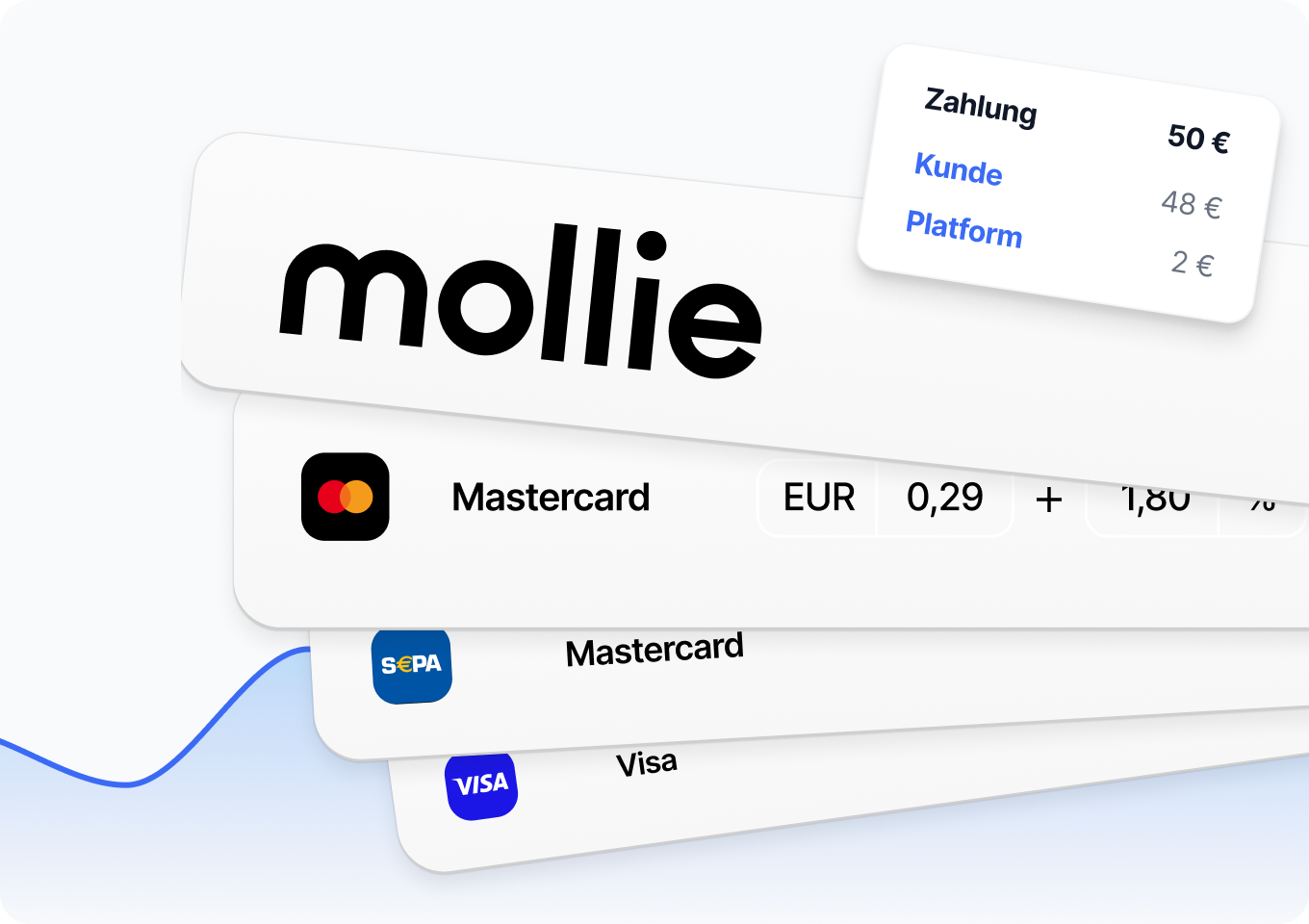
- Transparent costs: No monthly fees – you only pay when you actually use it, depending on the payment method from as little as 28 cents per transaction.
Your advantages with easybill
Fast liquidity
Digital payments significantly shorten the time between invoice and payment. You receive your money sooner and plan more reliably.
easy payment reconciliation
Invoice statuses are updated immediately: automatic payment reconciliation takes manual work off your hands.
Present professionally
A modern payment process appears trustworthy and up to date. You show that you offer efficient and customer-friendly processes.
Keep track
All payment information comes together centrally in easybill. You can see at any time which amounts are outstanding, due, or already settled.
More customer convenience
Your customers choose their preferred payment method and pay in just a few seconds. A smooth process increases satisfaction.
Easy to integrate
The connection with Mollie is set up quickly. Activate it once, and after that payment processing runs automatically in the background.
How it works – digital payments in three steps
Set up quickly and easily, ready to use right away. The connection to Mollie ensures secure processing in the background, while easybill automatically takes over all payment information.
- Setup: Register with Mollie or connect an existing account, store your bank account for payouts, and select the desired payment methods.
Configuration: Decide whether the payment link should be used by default on all documents or only specifically on individual documents.- Payment process: Your customer opens the link or QR code and pays online. easybill automatically marks the invoice as “paid”.
These payment methods are available with Mollie & easybill
With Mollie, you have access to over 40 proven online payment methods. This lets your customers pay the way they’re used to.
- Credit and debit cards (e.g. Visa, Mastercard, American Express)
- Digital wallets & online payments (e.g. PayPal, Apple Pay, Google Pay)
- Pay by invoice & instalment payments
- Bank-based payment methods & SEPA Direct Debit


Use the payment link for invoices, payment reminders and dunning notices
You can integrate the payment link not only in invoices, but also in payment reminders and dunning notices. This way, you offer your customers a direct and easy way to pay at every stage of the payment process. This increases the likelihood of prompt payment and reduces your administrative workload in accounts receivable.
- Also usable in payment reminders: Outstanding amounts can be settled with one click, which significantly shortens the payment time.
Optimises your dunning process: Even for overdue receivables, the payment process remains convenient and digital.- Keep an eye on costs: Any payment fees incurred can be taken into account within the framework of permissible dunning fees and offset economically.
Switch to easybill today – with free migration service!
Try easybill for 7 days with absolutely no obligation and get free support with the switch.
Join the thousands of satisfied customers and give your business the upgrade it deserves. Our top support team will guide you step by step as your data is migrated.
Frequently asked questions & answers
Everything you need to know about the switch and e-invoicing.
The payment link is ideal for all companies that send invoices directly to their customers (e.g., small business owners, service providers, tradespeople, freelancers, coaches, etc.). For online retailers, the payment link makes sense if they offer payment on invoice. For shop payment methods that are processed directly in the checkout, the payment link is generally not needed.
Through the integration with Mollie, you have numerous payment methods available – including credit cards, PayPal, Apple Pay, SEPA direct debit, and various local methods. You decide which methods you activate.
If your customer pays via the link or QR code, the status is automatically updated in easybill. The invoice is immediately marked as “paid” and you don’t have to check anything manually.
There are no basic fees for the payment link. Costs are only incurred if a payment is actually processed via Mollie. This gives you full control over your costs. Depending on which payment method your customer chooses, fees start from 28 cents per transaction. For some payment methods, additional percentage-based fees apply. You can find more details on the respective conditions in the Price and Services Directory.
Yes. You can enable the feature globally for all invoices or use it selectively only on individual documents – completely flexible, depending on your needs.
The connection to Mollie is set up in just a few minutes: connect your Mollie account, store your bank account for payouts, and select the desired payment methods – then you’re ready to go. If you have any questions, our support team will be happy to help.
Mollie transactions can be booked correctly and largely automated when the right accounting setup is in place. Since Mollie deducts transaction fees directly before the payout, the payout amount often differs from the original invoice amount.
Example: An invoice for €100.00 is paid. After deducting €5.00 in transaction fees, Mollie pays out €95.00. With the correct setup, DATEV can automatically process and reconcile this difference.
The setup is based on three key components:
- Accounts receivable accounting: Every invoice created in easybill should be posted in DATEV to an individual customer account (accounts receivable account). This ensures that the full receivable is correctly recorded in the system.
- Mollie DATEV Data Service: The Mollie DATEV Data Service automatically transfers payments, fees, and refunds into DATEV and supports automatic reconciliation.
- Mollie as a financial account in DATEV: To ensure the data service works correctly, Mollie should be set up in DATEV technically like a bank account (financial account). Payment flows and transaction fees are treated like account movements and posted directly against the customer accounts.
With this structure, incoming payments and transaction fees can be matched automatically. This significantly reduces manual work and creates a clean accounting workflow. For more information see our help center article.
easybill reviews
Our customers love us