
Automatic payments for recurring invoices
With easybill, you can automatically collect payments for recurring invoices. Depending on the provider, via SEPA direct debit, PayPal, or credit card, through Mollie or finAPI.
- Two providers to choose from: collection via Mollie using a payment link & QR code, or via finAPI directly to your bank.
- No more dunning for subscription models: once the direct debit mandate has been issued, all subsequent invoices are collected automatically.
- Full control for the invoice recipient: the direct debit mandate can be revoked at any time by the recipient.
Trusted by 80,000+ companies & partners





Two ways to collect payments automatically
easybill offers you two providers for recurring payments: Mollie and finAPI. Choose the approach that fits your setup.

Automatic payments with Mollie
Mollie is the cost-effective solution via payment link and QR code. Your customer grants the direct debit mandate once, and all subsequent invoices are collected automatically via SEPA direct debit, credit card, or PayPal. Perfect if you want a choice of payment providers and low costs per transaction.

Automatic payments with FinAPI
With finAPI, you transfer SEPA direct debits directly from easybill to your bank instead of downloading an XML file and importing it in online banking. Perfect if you already have a SEPA mandate from your customer and your business account supports FinTS.
Automatic payments with Mollie reduce reminders and administrative effort
Many companies automatically issue the same invoices every month, but still track payments manually. With easybill and Mollie, you combine recurring invoices with automatic payment collection.
- The effort involved in dunning is reduced
- Incoming payments become more predictable
- Cash flow improves
Your benefits with easybill & Mollie
Flexible to use
You decide how your customers should pay. Send payment links with direct debit, without direct debit, or simply combine both options.
Low transaction costs
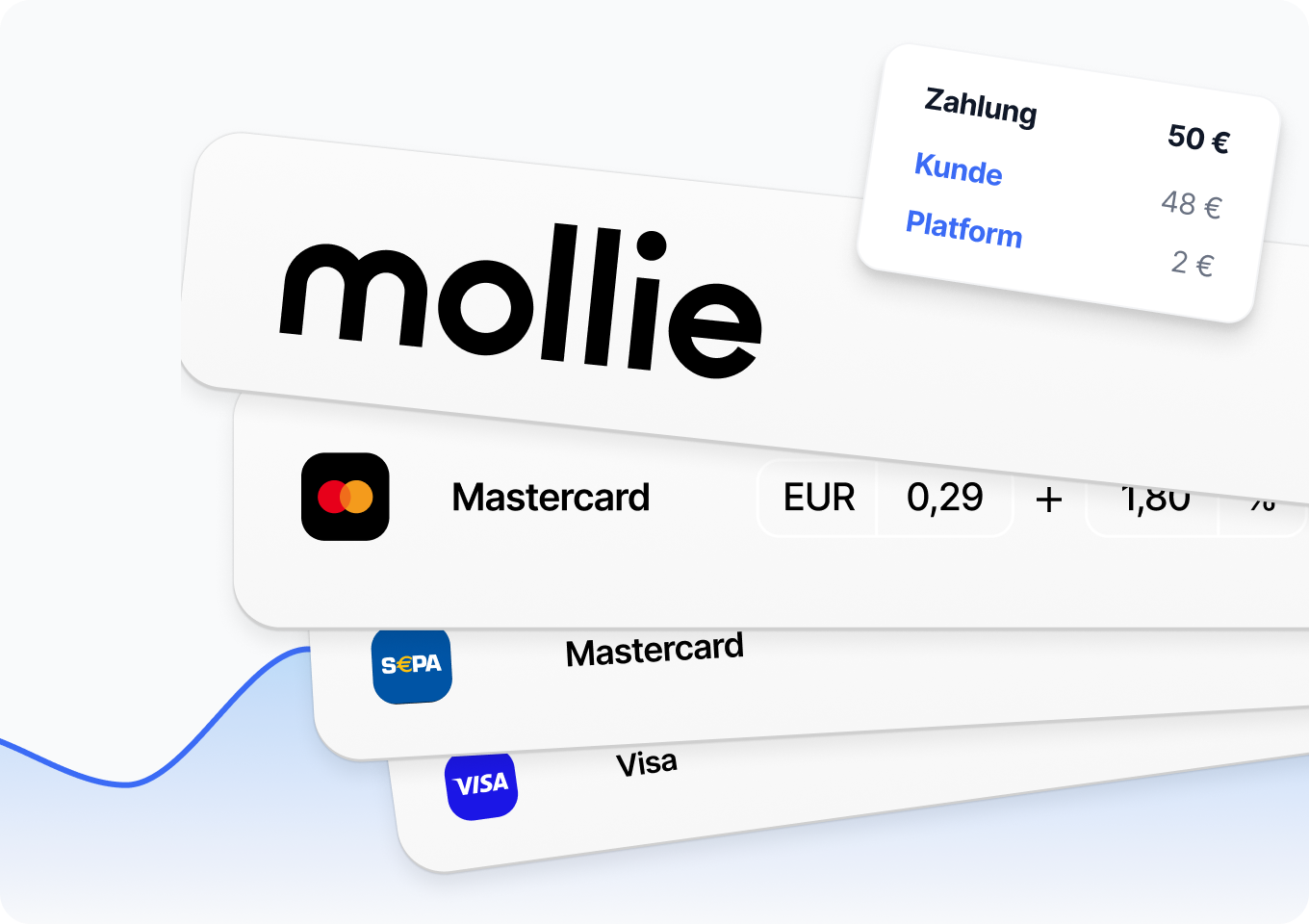
You can use automated payments from as little as 28 cents per transaction, regardless of the invoice amount. Unlike many other payment methods, there are no additional percentage-based fees.
Fully automated
If a SEPA mandate is in place, the entire payment process runs automatically. Amounts are collected at the desired time and immediately marked as paid thanks to automatic account reconciliation.
Fast liquidity
Digital payments significantly shorten the time between invoicing and payment. You receive your money sooner and plan more reliably.
Present professionally
A modern payment process appears trustworthy and up to date. You show that you offer efficient and customer-friendly processes.
More customer convenience
Your customers choose their preferred payment method and pay within seconds. A smooth process increases satisfaction.
For SEPA, PayPal and credit cards


How do automatic payments work with easybill?
easybill links recurring invoices with repeat payments from Mollie. The process is simple:
- You activate the direct debit procedure for an invoice, dunning notice, or payment reminder that contains a Mollie payment link or QR code.
- Your customer pays the first invoice or grants a direct debit mandate right away.
- Subsequent invoices are collected automatically. This allows recurring payments to be fully automated, without any manual follow-up.
How it works: Recurring payments in three steps
-
Activate direct debit procedure
Set up the direct debit procedure once
Under “Services → Mollie” in your easybill account, authorization for the direct debit procedure can be activated. A prerequisite is an active connection to Mollie. If the required permissions are missing, you will automatically be prompted to restore the connection.
-
Select payment methods
Enable payment methods in Mollie
In the Mollie dashboard, under “Payment methods“, you must enable one or more payment methods that support mandates. As a rule, SEPA Direct Debit is chosen for repeat payments.
-
Customize documents
Enable direct debit on the invoice
Enable the payment link in the document editor for your invoice, dunning notice, or payment reminder under “Payment link”. The checkbox “Offer direct debit” is already preselected for you. For recurring invoices, the setting is automatically applied to subsequent invoices.
You can use these payment methods for recurring payments with Mollie:
Only payment methods that support mandates are possible for direct debit. In practice, in Germany this mainly means:
- SEPA direct debit
- Credit and debit cards (e.g. Visa, Mastercard, American Express)
- PayPal
Collect direct debits directly from easybill with finAPI
Do you collect invoice amounts via SEPA direct debit? finAPI transfers the direct debit directly from easybill to your bank. You can skip the detour via XML download and online banking.
- Direct debits go straight from easybill to your bank
- No manual XML download, no import in online banking
- Approval via your bank’s TAN procedure; the status is automatically updated in easybill

Your benefits with easybill & FinAPI
Directly to your bank
SEPA direct debits are sent via your bank’s FinTS connection, without the detour via files. You stay with your own business account.
Fewer steps per collection
The XML download and import in online banking are no longer needed. You can submit individual direct debits or a batch direct debit in a single step.
Traceable right through to posting
You approve the direct debit via the TAN procedure. The status automatically changes to “Exported” and the invoice is marked as paid.
This is how collection with finAPI works
-
Create a direct debit for the invoice
In the document overview, open the “SEPA” option for the invoice via the “More” icon. Check the bank details, the SEPA mandate and, above all, the posting date, then save and switch to the payment overview.
-
Start a bank transfer with finAPI
In the payment overview, select one or more records and click “Bank transfer with finAPI”. If there are multiple invoices, you can choose between an itemized listing and a batch direct debit.
-
Confirm with finAPI
Enter your bank access details and confirm via the TAN procedure. finAPI transmits the direct debit to your bank, the status automatically changes to “Exported” and the invoice is marked as paid.
Switch to easybill today – with free migration service!
Try easybill for 7 days with no obligation and get free support when switching.
Join the thousands of satisfied customers and give your business the upgrade it deserves. Our top support team will guide you step by step through migrating your data.
Frequently asked questions & answers
Both providers automatically collect recurring invoices, but the process is different. Mollie works via payment link or QR code: your customer grants the direct debit authorization themselves, and subsequent invoices are collected automatically. This is the option without your own direct debit process. finAPI is a good fit if you already have a SEPA mandate from your customer and collect via your own bank: easybill then transmits the direct debit to your bank directly via FinTS, without an XML download. You can also use both approaches in parallel, depending on the customer and the invoice.
To use the feature, the following requirements must be met:
- The connection to Mollie is active in your easybill account.
- The authorization for the direct debit process is set up in Mollie. To do this, under “Settings → Mollie” select the following: “Grant authorization for the direct debit process”.
- At least one mandate-capable payment method (usually SEPA direct debit, credit card, or PayPal) is enabled in Mollie.
If your customer doesn’t see an option to choose between a one-time payment and a recurring payment, either the direct debit process is not active on the invoice, or they already have a valid mandate and payments are already being collected automatically.
At the moment the recipient selects the option “Pay + grant direct debit authorization” and the first payment is processed successfully.
You can set up the connection to Mollie as follows: connect your Mollie account, store a bank account for payouts, and select the desired payment methods – then you’re ready to go. If you have any questions, our support team will be happy to help.
Three things: a SEPA mandate from your customer in the customer master data, a business account that is enabled for direct debits and for FinTS, and a finAPI account. Transmitting direct debits via FinTS is only possible for German banks. A fee of 0.29 euros is charged per direct debit, which easybill bills monthly. You can find all the information in the Help Center.
easybill then displays a notice and blocks Mollie on this invoice – otherwise you would have two competing direct debit processes running in parallel.
finAPI only supports payment via SEPA direct debit. The available payment methods with Mollie depend on the payment methods enabled in the Mollie profile. In this table you’ll find the key differences between a one-time payment via QR code or payment link and automatic collection.
| Payment method (Mollie) | One-time payment | Recurring collection |
|---|---|---|
| SEPA direct debit | Yes | Yes |
| Credit card | Yes | Yes |
| PayPal | Yes | Partially / depending on country |
| Apple Pay / Google Pay | Yes | No |
| Sofort / iDEAL / Bancontact | Yes | No |
The automatic collection fails. The recipient will be prompted the next time they open the payment link to grant a new mandate, or they can pay the individual invoice manually as a one-time payment.
easybill reviews
Our customers love us