Sellmore
The best customer service is organized with mfr. With mfr, you can map your individual processes dynamically and flexibly.

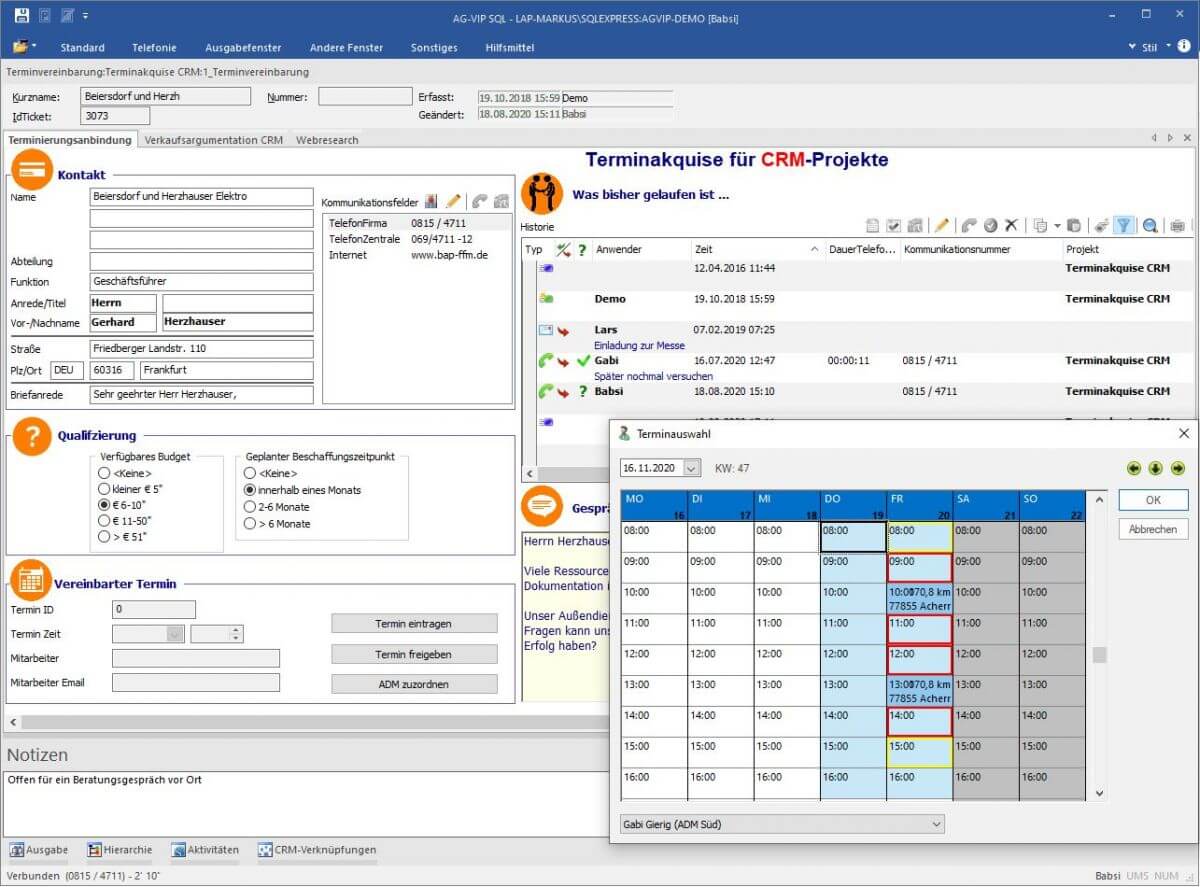
Contact management software
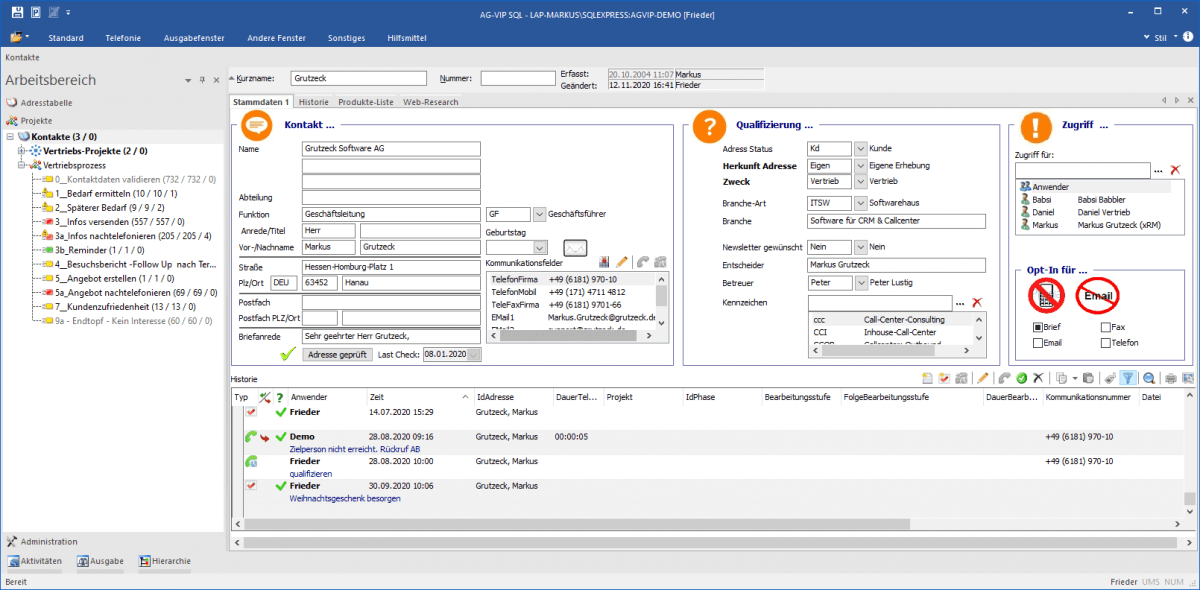
High-quality contact data is the foundation of any functioning business model. Without correct email addresses, phone numbers, or postal addresses, company operations grind to a halt. An address manager helps you work optimally with contact data.
Don’t search—findYour data is scattered “all over the place” across Excel lists, email inboxes, quote folders, or on the right next to your desk. You can’t run a business successfully like that.
– Happier customers
– Thanks to caller identification, your address manager immediately displays the contact data plus the associated contact history. That way, even before you pick up, you know what has happened with this contact so far.
– Correspondence at the push of a button
– Directly from the contact, the address manager creates documents or emails via the connection to MS Office and automatically documents them in the contact history. This means you’ll never have to search for letters or emails again. For larger envelopes, use the label function.
– Target groups and mailing lists
– Build relevant mailing lists based on any criteria, e.g., for sending Christmas cards.
– Contact data you can rely on
– With postal auto-correction, addresses are always deliverable
– The plausibility check identifies incorrect email addresses. The spell check alerts you to errors and offers alternative suggestions.
– The phonetic duplicate check identifies duplicate records.
– The log function shows who changed which data and when.
CRM software
– Systematically acquire new customers
– No system: don’t leave success to chance
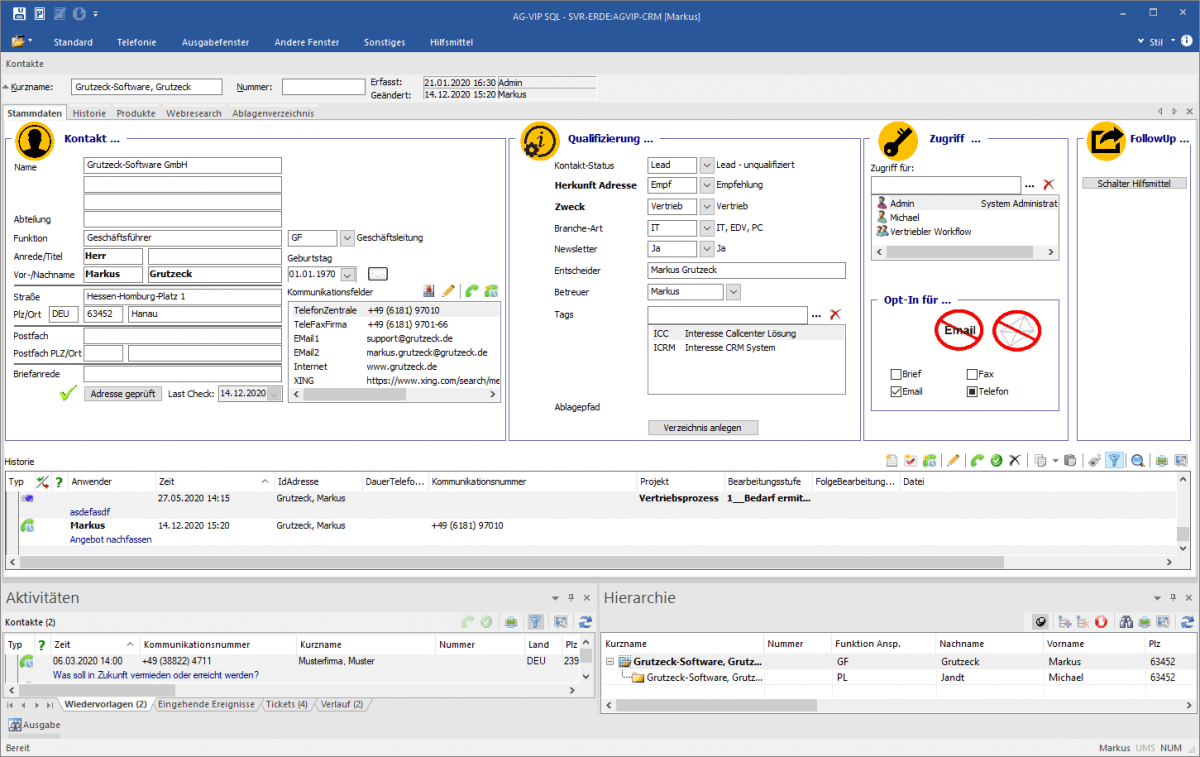
To systematically acquire new customers and grow existing customers, you need an individual customer acquisition system that is reflected in your CRM software.
66% would rather clean their bathroom than enter data into the CRM system! You need a CRM system that documents automatically for you.
– Relief from routine tasks
– All customer data visible when a call comes in
– Follow-up email or document completed at the push of a button
– In your familiar MS Office environment
Your company is unique—why shouldn’t your CRM system be too? CRM software should map your business processes, not force you to adapt your workflows to the CRM system.
Sellmore is a vendor-neutral CRM consultant and implementer. We find the CRM system that best fits you and map your requirements. With our integration platform Syncler (www.Syncler.com), we overcome data silos and application islands.
Call center software
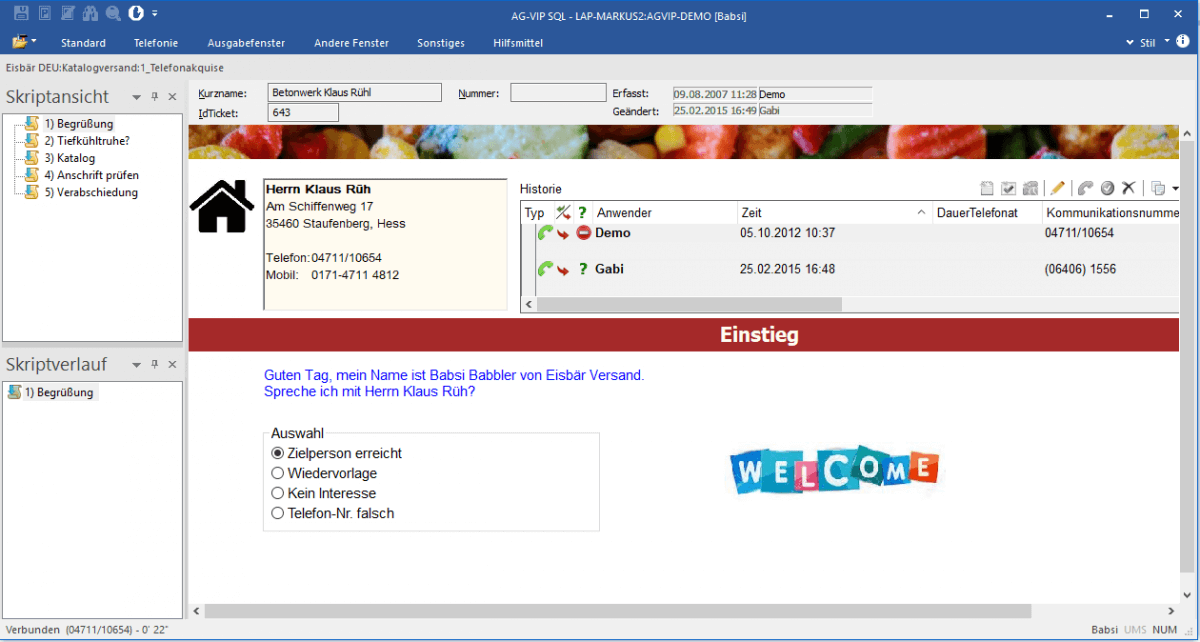
Outbound software with dialer function, integrated VoIP softphone, campaign management, interactive call support, and reporting with time tracking.
Save time with automated dialingBusy signals or unreachable contacts are automatically moved to the follow-up queue. Incorrect phone numbers are filtered out.
– No more mistyping
– More successful calls
– Call quality increases thanks to guided call handling with an interactive script
– Automated follow-up
– Depending on the outcome of the conversation, personalized follow-up emails or documents are generated automatically
– No more tally marks
– Intelligent campaign management automatically captures working time, case duration, call times, call results, and much more. This creates transparency and objective comparability.
– Reduce training effort for agents
– Set up a campaign and assign it to employees. Thanks to the easy operation and self-explanatory interface, agents find their way around quickly.
– Always keep the goal in sight
– With automated logging of times and results, you can see targets and actual results for teams and employees at a glance
App for technicians
Your mobile customer service team is always perfectly prepared for a job with the mfr app. When a job is assigned to a technician in deployment planning, they immediately receive a notification on their device. Thanks to the seamless connection between the office and the technician, everyone is always on the same page. The app’s intuitive design enables straightforward time tracking and documentation. With the offline function, the technician has a tool they can always work with—no matter what.
Integration with easybill
As soon as an order is completed, all line items such as working & travel time, materials, and services are transmitted to the office. This way, invoices can be created even faster and more accurately. Integration into easybill is incredibly easy, automated, and does not cost extra. In addition, mfr attaches the service report to the invoice, which can optionally be sent to the customer.
Consolidation
Map your corporate structure in just a few clicks and add your teams to each company with the required permissions. Get an always up-to-date overview of all banks and bank accounts, as well as the liquidity development of all your companies.
Invoices at a glance
See at any time whether an invoice has already been approved and exported, and who currently has the invoice.