Free quote template & sample quote
easybill offers you a free quote template for download. But see for yourself how easy it is to create your quotes with easybill and generate invoices from them.
Free quote template
Available with and without VAT: Create professional quotes in minutes – with our free templates for Word, Excel and PDF. Whether you’re a small business owner or a freelancer, we offer the right quote template – with and without VAT.
Quote template for small businesses WITHOUT VAT
.docx (Word 2010) | .xlsx (Excel 2010) | .pdf (Adobe Reader)
Quote template for freelancers WITH VAT
.docx (Word 2010) | .xlsx (Excel 2010) | .pdf (Adobe Reader)
Important: We would like to point out that business documents created in Word or Excel are not GoBD-compliant .
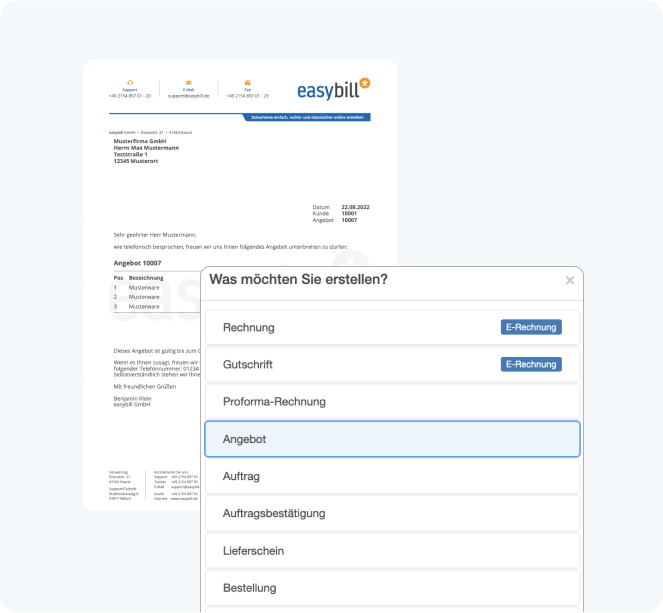
Succeed with free quote templates: practical examples for businesses
- Services: Freelancers use our templates to create detailed quotes for your customers, including precise cost breakdowns.
- E-commerce: Online shops use the templates to create tailored quotes for larger orders or B2B customers.
- Craft businesses: Tradespeople benefit from clearly structured quotes that break down all required materials and labor costs.
How to use the free quote template in just a few steps
- Download the free quote template: Choose the right template for Word, Excel or PDF – depending on your preferences.
- Enter company and customer data: At the top, enter your company details and the customer’s address details. Place your logo and fill in the fields for quote number, date, and customer number.
- Specify services and prices: Describe your items or services. Enter quantity, unit price, and total price. Small business owners please note that no VAT is shown.
- Customize and save the document: Use the text area for a personal message or additional information. Save your quote as a PDF and send it directly by email.
- Check legal requirements: Note that Word and Excel documents are not automatically GoBD-compliant. For full legal certainty, we recommend a review or the use of specialized software.
What is a quote?
A quote is your declaration of intent to offer a customer certain products or services under defined conditions. It is the first step toward a potential order. Our free quote template helps you create a professional quote for your customers.
Good reasons to use easybill
Definitely no trouble with the tax office
An invoice from easybill always meets the tax office’s formal requirements. Important components are added automatically. In particular, your invoice numbers are assigned automatically. This saves you and your customers stress, hassle, and time. Legislative changes are always implemented automatically and free of charge.
No more data loss
With easybill, access to your invoice, all other documents, and customer data is guaranteed at any time and from any place. All you need is a computer with an internet connection. Even in the event of a computer crash or another computer problem, your data remains fully intact. We back up your data every second for you!
Save on tax advisor costs
The invoice and credit note created with easybill can, unlike the invoice template, be transferred directly to your tax advisor in just a few clicks. They can easily import your data in a short amount of time. This simplification allows the costs of preparing bookkeeping to be reduced sustainably.
Calculation errors are excluded
Of course, our invoicing program calculates your invoice amount completely automatically. Discounts, cash discounts, or previous partial invoices can also be conveniently taken into account when creating your invoice. Calculation errors in Word or Excel documents are therefore a thing of the past.
No need to go to the post office
If you use a traditional invoice template or quote template, you can’t avoid going to the post office. easybill takes care of this step for you! You can send all documents by post, by fax, or by email with or without a digital signature. And at unbeatable prices!
Manage customer data easily
All customer data remains stored for an unlimited time. While, when using an invoice template and quote template, you usually have to open an old document and save it again to access the customer’s address, easybill does this via a convenient database system. This keeps customer data always up to date and it can be transferred to new documents in seconds.